

Overview
eCover Engineer is Windows software for designing 3D covers for ebook covers, software boxes, CDs, DVDs, magazines and more, with real-time 3D editing and rendering. A professional cover costs a lot and often needs to be updated; with eCover Engineer you can create, edit and export your own in a few minutes. Start from our free templates, or design from scratch, then export your work as BMP, JPG or PNG.
Benefits
- Create covers for standard box, e-book, thin box, wide box, custom box, spiral notebook, wide spiral notebook, boxes with 2, 3 or 4 books and magazines.
- Also design business cards, screenshots, curved screenshots, Vista software boxes and VHS tapes.
- Benefit from real-time 3D editing and rendering.
- Use the welcome screen to go directly where you want.
- Resize the width, height and depth of the cover and create custom shape boxes.
- Rotate, roll and resize the designed object. See it from any angle with the camera rotation and movement options (X, Y and Z axis).
- Change the light color, use the shadow effect and see your work reflected. Specify the floor's texture and the background color.
- Import a wide variety of picture files: BMP, JPG, PSD and almost any type of image.
- Export your work as BMP, JPG or PNG, with transparency for PNG files.
- Use the Profiles tab to change settings at macro level, and find a balance between speed and quality on less powerful computers.
- Save your work as templates so you can reuse it later, and send templates and output images by email.
- Use Paint.NET to modify our templates or design new images for your products.
- Runs on Windows 11, 10, 8 and 7.
- Multi-language support — available in 8 languages







 .
.
Download Free Trial
You can download the Free Trial Version of eCover Engineer (7.07 MB) by clicking on the link below.
Download Free Templates
Click on any image and go to the templates special page. You can find there packs of 5 royalty free templates that can be installed
Open templates by clicking the "Open Template" button within eCover Engineer.





Order the Full Version!
The version available for download above contains a ball in the middle of each object you design. Its sole purpose is to let you evaluate the program before spending any money; this gives you the opportunity to compare it with the other utilities made by competitors. If you wish to continue to use it after the trial period, please purchase a License by clicking below:
Single user license: $39.95
Immediately after registration you will receive an email with a Registration Key that will turn this evaluation copy of eCover Engineer into the full version. The benefits of purchasing the full version:
- No more limitations like the big red Demo ball
- No more nag screens
- Design unlimited ebook covers, CD covers, DVD covers and software box covers
- High discounts for new versions of eCover Engineer
- Technical support
Testimonials
"Thank you for this fantastic tool. I love how easy it is to use and yet the incredible quality of the end result. Best regards and thank you." - Thea Wesdra
"The best thing about eCover Engineer is the easy 3D object management that I enjoyed the most and I think that for a software that intends to create outstanding product presentations, this feature does its best." - Softpedia Review Team
Screenshots
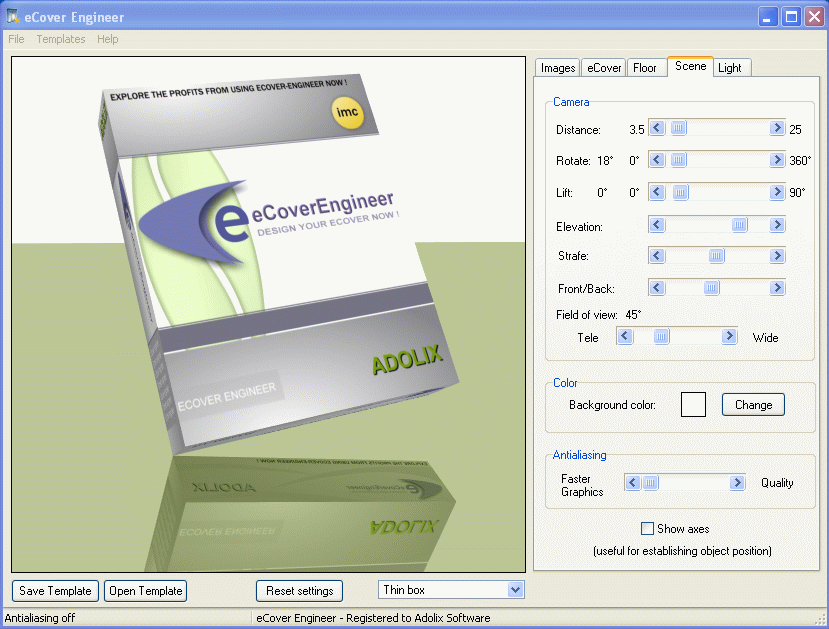
Standard box
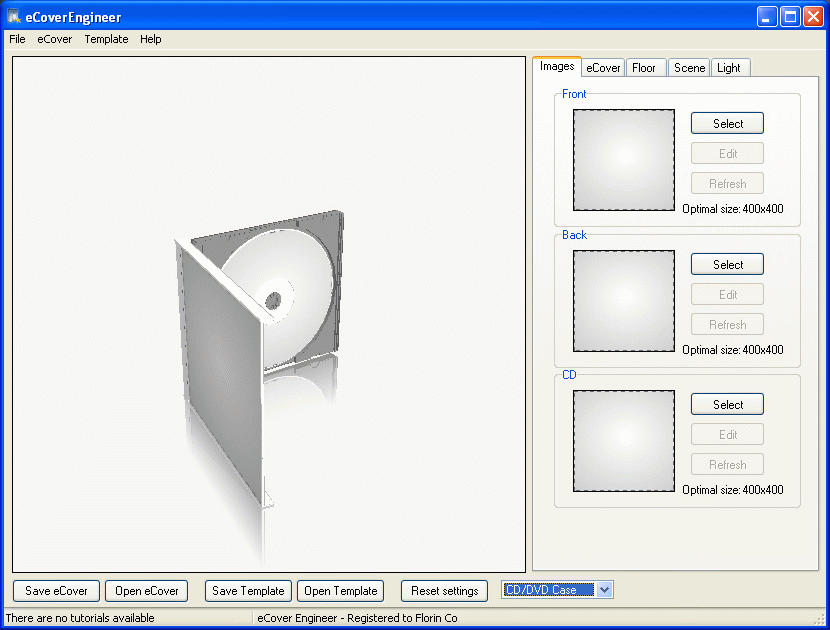
CD cover
If you want to see more screenshots of the objects available in eCover Engineer, click here

